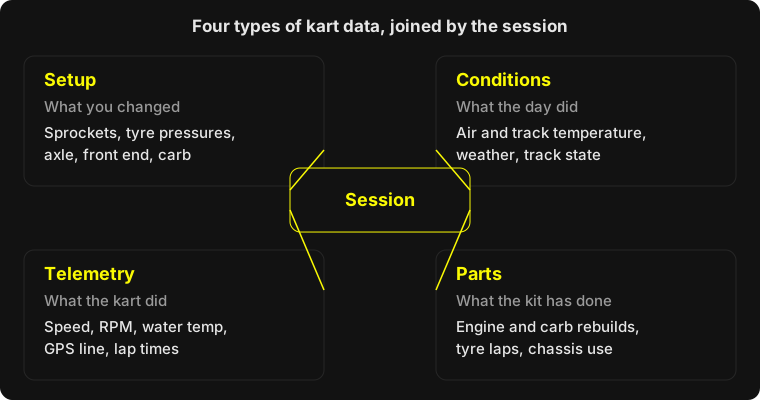
Kart data is everything you can record about a session that helps explain a lap time. It falls into four types: the setup you ran, the conditions on the day, the telemetry from your logger, and the running time on your parts. Each is useful alone, but the real value comes from keeping all four attached to the same session.
Most karters collect some of these and lose the rest. A logger file sits on a laptop, the setup is in a notebook and nobody remembers the track temperature. This post covers what each type is worth and how to keep it so you can use it next month.
What types of kart data are there?
There are four, and they answer different questions. Setup tells you what you changed, conditions tell you what the day did, telemetry shows what the kart did, and parts data shows what the equipment has been through.
- Setup. Sprockets, tyre pressures, axle, seat position, front end and carb settings. This is the only data you fully control, so it’s the one to record most carefully.
- Conditions. Air and track temperature, weather and track state. Without these, a faster lap may just be a warmer track.
- Telemetry. Speed, RPM, water temperature, GPS position and lap times from a logger or lap timer.
- Parts. Laps or hours on the engine, carb and each tyre set, plus rebuild dates.
Which kart data actually matters?
For most club drivers, setup and conditions matter first, then lap times, then logger channels. It’s tempting to buy a logger and chase more channels, but a perfect speed trace is hard to act on if you can’t say what the kart was running.
A sensible order:
- Lap times for every session, with the session type. Practice, heat and final tell different stories.
- The setup you ran, written down before you go out, not remembered afterwards.
- Conditions, which take seconds to note.
- Speed and RPM from a logger. Most loggers record these along with water temperature, so you’ll get them from whichever unit you buy. AiM, Alfano and Starlane are the common names; the data analysis post covers how to read them.
- Parts running time, so you know when a rebuild is due rather than finding out the hard way.
A widely repeated rule from karting data guides is to add channels only when your questions outgrow your current data. That’s good advice. Collect what you’ll look at.
What can telemetry tell you that lap times can’t?
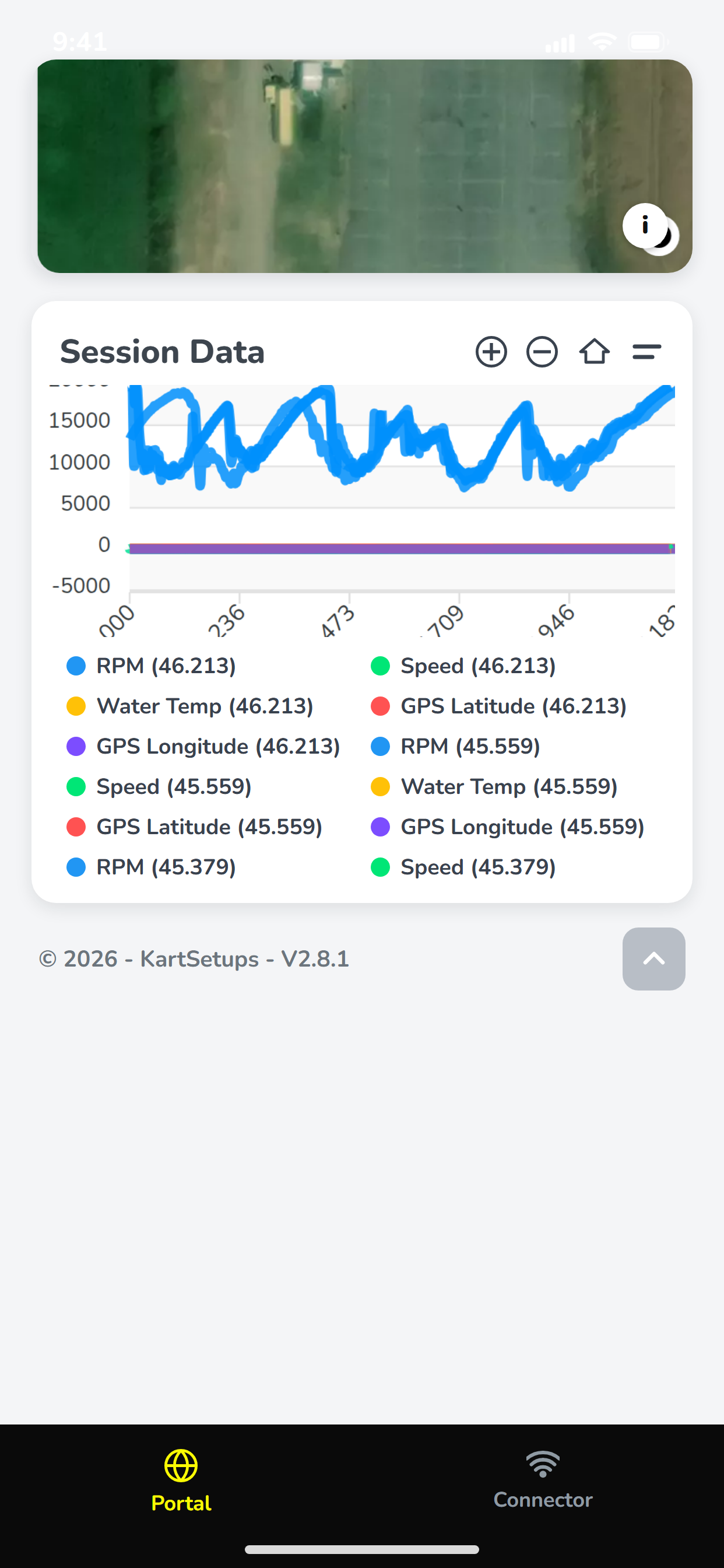
Telemetry shows where the time went, not just how much. A lap time says you were two tenths slower. Speed against distance shows whether that was braking, minimum speed in the middle or the exit.
RPM adds a second view on a single-gear kart: it tracks speed, so it also shows whether your gearing lets the engine reach its range down the straight. Water temperature is a useful sanity check that a quicker run wasn’t a cooler engine, or a hot one fading.
How should you organise kart data so you can find it?
File everything against a single session, and group sessions by meeting. A session is the natural unit: one kart, one setup, one set of conditions and one logger file. Break that link and the data turns into a folder of unnamed files.
Whatever tool you use, a few habits do most of the work:
- Name or tag each logger file with the date, track and session before you leave the pit area.
- Record the setup before the session and note any change between runs. One change at a time keeps comparisons honest.
- Keep one place for it, not a logger folder plus a notebook plus photos.
- Log parts running time at the end of each day while it’s fresh.
You can do this with a spreadsheet; the kart setup sheet post covers what to include. The case for a dedicated tool is time at the track. KartSetups stores the setup and weather per session, lets you upload logger files to the same session, and tracks engine, carb and tyre usage with alerts for rebuild intervals. The release notes list current features and pricing lists the plans.
How do you use kart data to make a decision?
Pick one question, compare like with like and change one thing. “Is the new rear sprocket better?” is answerable. “Why are we slow?” isn’t.
A simple loop for a race weekend:
- Run a baseline stint and keep the setup, conditions and laps.
- Change one item and run again on similar tyres.
- Compare average of your best clean laps, not just the fastest one.
- Use the speed trace to see which part of the lap moved.
- Keep the change, revert it or test it again, and note which.
Over a season this builds something useful: a record of what worked at each track and in which conditions. That’s the data that pays off next year, when you arrive at the same circuit and already know where to start.
What are the common mistakes with kart data?
The common mistakes are collecting too much, recording too little context and never looking back at it.
- Channels without questions. More sensors don’t help if nobody asks the data anything.
- No conditions. A lap time without track temperature is half a data point.
- Changing several things. You can’t attribute the gain.
- Treating one lap as truth. A tow or one good exit can fake a tenth.
- Data on one person’s phone. If your mechanic or coach can’t see it, it won’t shape the next run.
None of this needs expensive kit. It needs a habit of recording the same things every session, and a single place to find them again.